
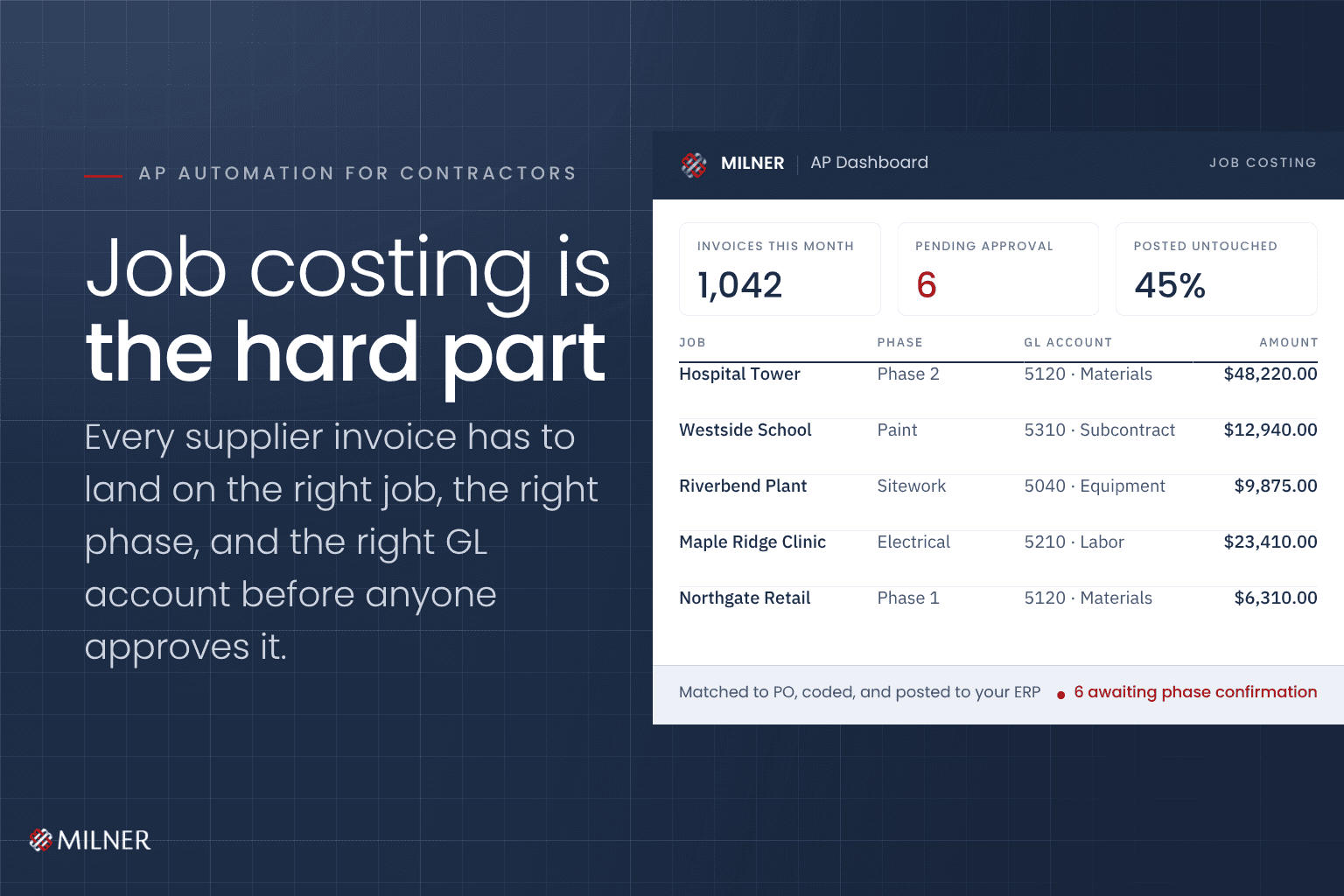
A commercial painting contractor receives about 1,000 invoices a month, nearly all of them by email. Every one has to be filed, coded, checked against the right job, and keyed into the accounting system by hand.
Most writing about accounts payable automation stops at reading the invoice. For a contractor, that’s the easy part. The hard part is what the invoice belongs to.
What is accounts payable automation for contractors?
Accounts payable automation for contractors captures invoices, reads the data off them, codes them to the right job and phase, checks for duplicates, and posts finished records into your accounting system with little or no manual entry. What separates it from standard AP automation is job costing. Every invoice has to land on the correct job, the correct phase, and the correct GL account. Standard tools stop at the vendor and the amount.
If you’re new to the basics, start with our guide to accounts payable automation. This piece picks up where that one leaves off.
Key takeaways
- The expensive part of contractor AP is coding each invoice to the right job and phase.
- Job costing means every invoice needs a job, a phase, and the right GL account.
- Vendor-type rules can fill in most of that coding automatically, leaving your AP team to enter only the job and phase.
- Suppliers that recycle invoice numbers cause duplicate collisions. Per-vendor rules solve it.
- The payoff shows up at month-end close and in cash. A tighter payment cycle means less short-term borrowing.
- One commercial painting contractor now runs about 1,000 invoices a month this way.
Why contractor AP is different from everyone else’s
In most businesses, an invoice needs a vendor, an amount, and a GL account. In a job-costed business, it needs to know what it was for.
Was this paint for the hospital job or the school job? Which phase? Is this vendor job-costed or overhead? Is this a subcontractor or a supplier? Those answers decide whether your job cost data is worth anything.
A miscoded invoice quietly distorts the numbers you use to decide whether a job is making money, and you usually find out months later.
Where generic automation stops
Most tools read the vendor, the invoice number, the date, and the amount. Then they hand it back to a person to decide the job, the phase, and the account.
That removes the data entry and leaves the coding to your team. For a contractor, the coding was the expensive part.
What the build actually looks like
This is what the build looked like for the contractor above.
Capture at the inbox. An Outlook add-in sends invoice attachments straight into processing trays. No printing, no saving files into folders.
Automatic reading and filing. Intelligent indexing reads each invoice and files it on its own, pulling the vendor, number, dates, amounts, and line items.
Validation and duplicate checks, tuned per vendor. Some suppliers recycle invoice numbers, which collides with records already in accounting. The system appends a month-year suffix automatically so nothing overwrites anything.
Smart coding by vendor type. Vendor types drive the default coding, so the system already knows whether a vendor is job-costed or overhead, a subcontractor or a supplier. The AP team enters only the job and phase, and the system fills in the correct GL account and project.
A pre-assigned coder per vendor. Invoices route to the person who already handles that vendor, matching how the team had divided the work anyway.
Payment terms handled automatically. Advanced due-date rules, and early-payment discount tracking per vendor, so discounts stop expiring in someone’s inbox.
A nightly export. Finished invoice records post into the existing accounting system. Nothing gets replaced. Nothing gets retyped.
The part the finance team notices first
The time savings are real. What finance teams talk about, though, is the close. Reliable data closes the month faster, and a faster close changes how cash moves. The controller at another Milner client running the same system put it this way:
“Our staff can now focus on more value-added tasks instead of time-consuming and error-prone manual entry. The month-end close process has become more efficient as the data has become more reliable. This all leads to a tightening of the payment cycle overall, which reduces short-term borrowing. More money in the door, less money in interest payments.”
That last line is the one that matters. For a contractor with lumpy, job-driven cash flow, the interest saved on short-term borrowing is often a bigger number than the labor it saves.
The benefit nobody predicts
Once every invoice is captured, read, and searchable, it becomes a reference library for the whole company.
At this contractor, project managers now use a read-only license to research product numbers and quantities inside the stored invoices. They needed to know what was ordered for a job, and the answer already lives there.
The system pays for itself in accounting, and then it turns out to be useful to people who never touch it.
When this is worth doing
You’re a candidate if a few of these are true.
- Invoice volume has outgrown the team handling it.
- Your business is job-costed, so the real bottleneck is coding each invoice to a job.
- Early-payment discounts are expiring before anyone approves the invoice.
- Month-end close drags because the data has to be cleaned first.
- The invoices won’t stop, and the job posting is starting to look inevitable.
That last one is worth a hard look. Depending on your invoice volume and how many exceptions you handle, automation can cost less than the salary you’re about to advertise. Price both before you post the job.
Here’s how to price the hire against the automation, including the 12- and 36-month comparison.
Is your AP team coding invoices by hand?
If your team is keying invoices and hand-picking job codes, there’s a better way to run it. Milner has helped businesses manage documents and back-office work since 1934, and we build these systems to connect to the accounting software you already use.
Related reading
- Accounts Payable Automation: How It Works (and What It Actually Saves) covers the basics this article builds on.
- What your business phone system should be doing (but probably isn’t) looks at another system most businesses underuse.
- Why Cybersecurity Deserves a Closer Look covers the security side of your office technology.
Frequently asked questions
What is accounts payable automation for contractors?
It’s technology that captures invoices, reads them, codes them to the right job and phase, checks for duplicates, and posts them into your accounting system with little or no manual entry. The difference from standard AP automation is job costing. The invoice has to land on the right job and phase as well as the right vendor.
How does the system know which job to code an invoice to?
It doesn’t guess. Vendor types drive the default coding, so the system already knows whether a vendor is job-costed or overhead, a subcontractor or a supplier. Your AP team enters the job and phase, and the system fills in the correct GL account and project from there.
What happens when two vendors use the same invoice number?
Some suppliers recycle invoice numbers, which causes collisions in accounting. Duplicate checks are tuned per vendor, and the system appends a month-year suffix automatically so records stay distinct.
Do we have to replace our accounting system?
No. A nightly export posts finished invoice records into the system you already use. The automation sits in front of your accounting system and feeds it clean records.
How many invoices do you need before it pays off?
There’s no fixed number. The better signal is whether coding has become the bottleneck for your team. The contractor in this article runs about 1,000 invoices a month, and companies processing several thousand invoices a month see the same pattern.
